

Round-head 3D toons
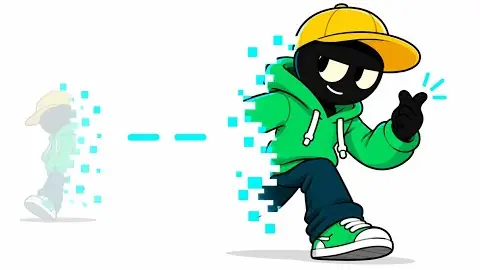
The round-head character moved into 3D: matte or toon-shaded figures with sphere heads in simple rooms and streets, soft shadows, bright hoodie colors.
Get the skill
The production instructions and source for this visual style.
- Unzip the kit into
kit/and the skill intoskills/faceless-toon-3d/. - Follow the kit README to install dependencies and set your environment variables.
- Open
SKILL.mdin your coding agent and follow the workflow.
---
name: faceless-toon-3d
description: Create narrated round-head 3D toon what-if videos with configurable primitive-built characters, cinematic shot plans, word-timed captions, sound and verified renders.
---

## Public package setup

Export `KIT` to your extracted kit directory and `SKILL` to this extracted style directory.
Read README.md for dependencies, missing assets and setup. Example media and private review
material mentioned below are not bundled; create your own input/output paths.

Build and run locally. Read [SPEC.md](SPEC.md) before authoring; it contains the observed cinematography, palette, typography and script rules. Read [ASSETS.md](ASSETS.md) for provenance. KIT=$KIT; PY=$KIT/.venv/bin/python. Never modify the kit or read its credentials. Use kit scripts for network work. Do not use YouTube download/scraping tools.

## Run

```bash
./build.sh --script examples/test/script.txt --topic 'What if your luck doubled every day?' --beats examples/test/beats.json --out examples/test --quality max
```

Input is a spoken script, optional topic/title, optional character JSON, and optionally authored beat JSON. Build performs voice → Scribe → planner → stills → preview QC (standard/max) → 1080p30 silent render → thumbnail → music → mix → final QC. It stops on any failed stage. Existing voice is reused only with matching script hash. Existing music is reused; remove a run's bed.wav when its intended music changes. Files stay in the selected output directory. Run ends with the actual kit qc.py exit status; a failed QC is unfinished work.

For a new story, write 145–155 spoken words/minute, second-person immediate premise and escalating concrete consequences. Title formula “What if your [stat] doubled every day?” A 15-second opening is roughly 36–39 words. Show the first consequence immediately; end on an escalation. Do not copy topics, characters or language from reference videos.

```bash
$PY scripts/plan.py script.txt words.json --beats beats.json --out examples/run/timeline.json --quality max
$PY scripts/preview.py examples/run/timeline.json --out examples/run/stills --ss 2
node "$KIT/js/render.mjs" --root . --page scene.html --data examples/run/timeline.json --still 2.2 --ss 2 --out examples/run/check.png
$PY scripts/thumbnail.py examples/run/timeline.json --out examples/run/thumbnail.png --text 'LUCK ×128'
```

The planner's semantic starter handles coin, street/light, toast, reading and literal impossible-event beats. Inspect every automatically selected beat; unsupported premises need an authored beat file with suitable original props, not a random fallback illustration. All scene content is declared in timeline.json; the renderer does not inspect script strings or test paths. Add a reusable prop to modules/props.js or set to modules/sets.js when the narration calls for something outside the library.

## Shot authoring

Beat files are arrays or {"beats":[...]}. Hyphenated/multiword anchors also match Scribe tokens split across words. Each beat specifies a `template`, either `start` seconds or a word `anchor` (plus optional `occurrence` and `offset`), `day`, `stat`, and optional `shot` overrides. See [examples/test/beats.json](examples/test/beats.json). Templates: coin_wide, coin_macro, street, toast, toast_macro, dice, impossible_orbit, impossible_orbit_close, reaction, read. An override can replace the set, actors, props or camera, so the system is reusable beyond these starter beats.

Cameras declare `from`, `to`, `target`, optional `targetTo`, and `fov`. Props declare `id`, `type`, `position`, `rotation` and `scale`; any transform can be a fixed XYZ vector or normalized keyframes `[u,x,y,z]`. `interpolation: linear` suits falls/travel; default smoothstep suits poses. `motionTo` moves a supported prop from its actual palm contact to a declared landing target; release and contact align to words. Cars can set `convertible:true`, with a seated actor following the same position keyframes. `fall` uses gravity to land rigid props exactly on their declared support; all six die faces are modeled. `flight` defines ballistic coin release time, duration, height and turns; it is evaluated from absolute shot time. `attach: palm` uses the actual left-hand world bounds and physically rests a coin on it. The hold pose uses a broader palm that remains visibly beneath the bread before release. `hideArms` on an actor removes an off-frame arm in a hand insert, and `hideSetObjects` removes named dressing that crowds the action or caption lane. Actor transforms follow the same scheme. Poses: idle, hold, coin, toss, toast, dice, read, point, surprised, walk, sit. Expressions: happy, surprised, worried, confident. Set names: cafe, kitchen, street, graphic. Prop types: coin, toast, plate, dice, book, car, chair, phone, sphere, box, lightRing.

When narration claims “the impossible,” show a literal impossible event during that clause. A static stack, a lucky outcome or only a surprised face is insufficient. The two impossible_orbit templates establish a settled stack, then lift the dice from their support and orbit them above the hero, keeping the event visible in both angles. The planner aligns the event to the “impossible” word and records it in `visualEvents`; the finish script passes the scoped `intended` description to QC so deliberate supernatural motion is distinguished from accidental floating. This does not exempt clipping, intersections, unreadable staging or narration mismatch. No ignore entry is needed.

`levitateOrbit` is a reusable absolute-time motion: `start`, `origin`, `liftHeight`, `liftDuration`, `spreadDuration`, `center`, `radius`, `phase` and `speed`. Reuse the same `eventId` and clock across cuts. Cubes separate laterally before their heights converge, then orbit; the camera must be above the orbital plane enough to reveal its depth. `fadeInAbs` fades the cyan graphic trail without popping. Run `node scripts/verify_orbit.mjs examples/run/timeline.json` to check cut continuity, separation and head clearance for these templates.

Use 2–4 s shots and a target of ~3 cuts/10 s, with 4 cuts/10 s allowed for an opening. Vary wide/medium/face/hand macro/overhead. Each shot has slow push, slide or orbit; use real parallax, preserve the action's screen direction. Match-cut an object to its detail, cut on contacts/day changes, and use hard cuts between locations. Transitional intent is in the plan; current renderer implements hard and matched cuts, with camera continuity inside shots. It does not claim optical-flow or generated transitions. Avoid arbitrary dissolves. Every cut is explicit in `cuts`.

Caption layout is solved in code: ≤5 words per group, punctuation breaks, fixed safe lower lane, white heavy Avenir Next 58 px with dark outline, yellow active word. HUD has a separate upper-left lane and day × multiplier. Every overlay has QC boxes. Keep faces and important prop contacts outside both lanes; camera composition is the solution when a subject enters them.

## Characters and quality

Character JSON: `color`, `head`, `pants`, `clothing: hoodie|tank`, `build: slim|athletic|ripped`, `hair: bun|quiff`, `headwear: cap|beanie`, `accessory: headphones|glasses|backpack`. For “a ripped guy in a red tank top,” use {"color":"#D94F47","clothing":"tank","build":"ripped"}. Keep a single config across cuts. modules/character.js exposes character() and pose() with deterministic articulated joints. Six examples are in characters.png; rebuild with gallery.json via scene.html.

Draft: 1×, 1024 shadows, matte surfaces, no AO/bloom/SMAA/DOF. Standard: 1×, 2048 shadows, CC0 surfaces/HDRI, GTAO, restrained bloom, SMAA, DOF and preview QC. Max: 2× render/downsample, 4096 shadows, same complete set assets and effects, reference contact sheet and independent review of flagged spans. No quality setting changes layout, timing, grounding or semantics.

## Sound and QC loop

MiniMax English_CaptivatingStoryteller, upbeat without shouting; Scribe supplies actual word timings. A quiet continuous instrumental marimba/plucked-string bed supports the voice. Cue object contacts and major changes, not every word: whoosh peaks 0.03 s after a cut, tap on a landing, ding on a reveal. Music −23 dB before normalization, effects −10 to −12 dB, final mix normalized by the kit to −14 LUFS.

Use `node scripts/render.mjs` as the skill wrapper when the Mac is busy; it imports the unmodified kit renderer and sets a 120-second screenshot timeout; after a completion message, a ten-second cleanup guard verifies frame count and QC records before closing idle handles.

View all preview stills with the image tool. For max, make a six-moment reference comparison contact sheet, view it, fix the biggest differences and repeat. Then render and run:

```bash
INTENDED=$($PY -c 'import json; print(json.load(open("examples/run/timeline.json")).get("intended",""))')
$PY "$KIT/py/qc.py" examples/run/final.mp4 --out examples/run/qc --qc examples/run/silent.qc.jsonl --timeline examples/run/timeline.json --words examples/run/words.json --style 'Round-head 3D toon' --intended "$INTENDED"
```
Source only. Fetch assets separately; setup and credits are in the README. All 11 skills ↗
Channels

One Small If
4.1K subscribers1.1M views

ifictional
976 subscribers209K views

Hypothetica
772 subscribers177K views

E Se Todo Dia?ES
1.7K subscribers159K views
Videos

What IF You Could Stop Time?
582K views

What If You Doubled in Size Every Hour?
194K views
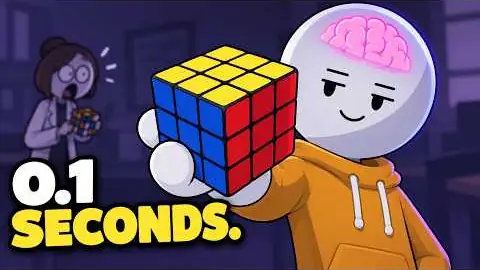
What If You Were 100x Smarter?
161K views
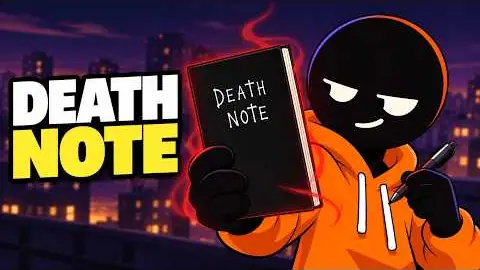
What If You Had a Notebook That Made Anything Come True?
54.5K views
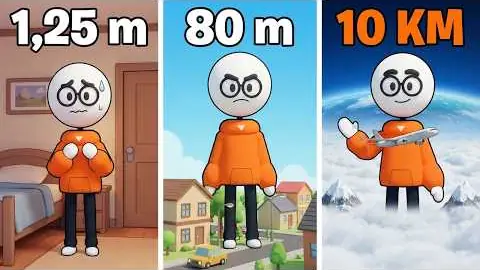
E se o seu TAMANHO dobrasse todos os dias?
51K views
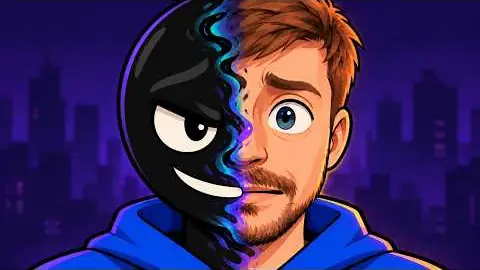
What IF You Could Shapeshift?
344K views
What IF You Could Teleport?
305K views

What IF You Could See 10 Seconds Into the Future?
250K views