

Round-head stick figures
Flat 2D vector scenes with a black round-headed stick figure in a colored hoodie.
Get the skill
The production instructions and source for this visual style.
- Unzip the kit into
kit/and the skill intoskills/faceless-roundhead-2d/. - Follow the kit README to install dependencies and set your environment variables.
- Open
SKILL.mdin your coding agent and follow the workflow.
---
name: faceless-roundhead-2d
description: Makes faceless "What if" YouTube videos with black round-head stick figures in dusk lit flat vector worlds, from a script to final.mp4 and thumbnail.png, with film-style coverage, fast cuts, captions, stat cards and a QC gate.
---

## Public package setup

Export `KIT` to your extracted kit directory and `SKILL` to this extracted style directory.
Read README.md for dependencies, missing assets and setup. Example media and private review
material mentioned below are not bundled; create your own input/output paths.

# Round-head stick figures

Read `SPEC.md` for the look. This file is how to use it.

The engine is a real camera on flat painted sets (Three.js drawn unlit), with a parametric sphere-and-capsule puppet. It looks like After Effects cut-outs, but every coverage angle exists: top-down, over the shoulder, macro, tracking.

## One command

```bash
SK=$SKILL
$SK/build.sh --script script.txt --title "What If Your Reaction Time Was 10x Faster?" --out run1 \
  --character "a slim guy in a red hoodie" --beats beats.json --thumb "TOO|SLOW." --thumb-prop stopwatch --quality standard
```

Steps: voice, word timings, plan, preview QC, render, music and mix, measure, thumbnail, QC gate. Finished steps are reused (voice costs money); delete a file to redo a step. It exits non-zero until QC passes. `--plan-only` stops after the plan. Options: `--voice --speed --seed --jobs --tag --no-qc --budget`.

**Long renders under a time limit.** A render is cut into 20 s slices kept in `OUT/slices`. `--budget 270` stops starting new slices after 270 s and exits 3; run the same command again and it continues. Repeat until it stops exiting 3. If the timeline changes, the slices are redone. If your shell caps a command at 10 minutes, always pass `--budget 270`, and run QC as its own command.

## The best workflow (do this, not just the one command)

1. Write the script (rules below).
2. `build.sh ... --plan-only`, which gives `timeline.json`, `cues.json`, `music.txt` and a shot report.
3. Write `beats.json` to fix anything the planner could not know. This is where the picture starts matching the narration exactly. Sentences are numbered from 0 in order.
4. `python tools/contact.py run1/timeline.json run1/contact.jpg --cols 4` renders one still per shot in about a minute. Read it. Fix, repeat.
5. Run the full build.

## beats.json

```json
{ "title": "What If Your Reaction Time Was 10x Faster?",
  "character": "a slim guy in a red hoodie",
  "sentences": {
    "0": { "set": "street", "look": "dusk", "with": ["friend"], "shot": "ws_high", "expr": "smile",
           "props": [{ "name": "fly", "pos": [-1.82, .84, 1.89], "path": [[-3.2, 1.5, 2.6], [-1.98, .835, 1.89]], "pathT": [0, 1.4], "wobble": .012 }],
           "hud": [{ "type": "stamp", "text": "FRIDAY · 6:40 PM", "rot": -1.6, "zone": "tl" }] },
    "1": { "shot": "ecu", "expr": "focus", "transition": "whip" },
    "2": { "prop": "phone", "screen": { "kind": "chat", "title": "Mom", "lines": ["where are you", "> almost home"] } },
    "3": { "stat": { "kind": "bars", "rows": [{ "name": "THEM", "frac": 1, "text": "0.25 s", "color": "#FF7A5C" }, { "name": "YOU", "frac": .1, "text": "0.025 s", "color": "#FFD23F" }] } },
    "4": { "hud": [{ "type": "flow", "items": ["eyes", "brain", "muscles"], "zone": "top" }], "mood": "slowmo" }
  } }
```

Every field is optional. Per sentence:

| field | values |
|---|---|
| `set` | street, bedroom, living, kitchen, office, classroom, lab, hospital, gym, bar, park, rooftop, void |
| `look` | dusk, golden, morning, day, night, void |
| `shot` | cu, cu_front, ecu, mcu, profile, ms, low, ws34, ws_high, top, back, dutch, hand |
| `action` | walk, run, sit, sleep, think, phone, type, point, catch, wave, shrug, panic, facepalm, flex, lift, cheer, explain, fall |
| `expr` | neutral, smile, joy, content, smug, shock, scared, angry, sad, focus, bored, think, sleep, dead, talk |
| `with` | friend, boss, doctor, scientist, mom, dad, kid, girl, teacher, stranger, old, trainer |
| `prop` | macro on a real surface: mug, phone, key, moneyStack, coins, book, laptop, stopwatch, wallClock, pill, trophy, fly, ball, box |
| `stat` | `{to, unit, label, prefix, dec}` card; `{kind:"bars", rows}`; `{kind:"chips", items, stepT, bad}`; `{kind:"gauge", value, label}`; `{kind:"dial", deg, text}`; `{kind:"pill", text}` |
| `hud` | list of `stamp, timer, stat, pill, flow, title, tag, label` with `t` (delay), `dur`, `zone` (tl, tr, top, left, right, center). Tags and labels take `at: "actor:hero"` |
| `transition` | cut, whip, rush, match, dissolve, iris, glitch, fade, flash, wipe |
| `mood` | slowmo, flashback, alarm, cold, warm |
| `screen` | phone content: `{kind: chat/call/stat, title, lines}`. A line starting `>` is your own bubble |
| `props` | raw props: `{name, opts, pos, rot, scale, path, pathT, wobble, spin, actor, hand, local}` |
| `cam` | exact lens, replaces the slot: `{subj:{a|p|pt}, size, azAbs, az, el, fov, anchor, move, follow, ots, pov, punch, roll}`, with `frame` to name it |
| `hero` | exact blocking merged on the hero: `{pos, yaw, pose, pose2, at, path, pathT, gait, armsFixed, expr, expr2, exprAt, look, target}` |
| `parts` | list of per-phrase overrides: one shot per phrase of that sentence |
| `fx` | `ring, shake, speedlines, whiteout` with `t` in shot seconds; `rack`, `dof`, `fg`, `post` pass straight to the shot |
| `cues` | `{t, sfx, db}` or `{t, file, db}`, `file` from `sfx/` in this skill |
| `stamp`, `cut`, `title` | a stamp text; force a cut here; mark this sentence as the title |

Marks and surfaces are in `render/js/sets.js` and `planner/lexicon.py STAGE`.

## Characters

Plain words: `python planner/charparse.py "a ripped guy in a red tank top"`. Builds: slim, normal, ripped, heavy, kid, tall, elder. Tops: hoodie, tee, tank, sweater, jacket, suit, labcoat, vest, dress, robe. Hair: tuft, spiky, short, long, bob, curl, afro, bun, ponytail. Hats: cap, beanie, hardhat, tophat, cowboy, crown. Extras: glasses, goggles, headphones, backpack, scarf, beard, badge, halo. Any colour name. Exact control: `"hero": {...}` in beats.json. `python tools/gallery.py --out characters.png "desc|pose|expr" ...` renders a line-up of up to six.

## Script rules

- Title formula: `What If You [ability]?`, `What If Your [trait] Was [N]x [Higher/Faster]?`, `Can [N] People Really [big stake]?`
- Hook: second person, present tense, a scene already running, no greeting. Something small and physical happens in sentence one (`A fly buzzes past your face.`). The premise lands at 20 to 40 s, as a spoken "So what if..." line, which becomes the title card.
- POV: "you" is the hero, always. Name the supporting cast by role (`your boss`, `your friend`), so the planner casts them. Generic subjects (`a normal person`, `most people`) get a plain grey stand-in, so a comparison never shows you on both sides.
- Pace: about 142 wpm. Short sentences. One image per sentence, so a picture exists for it.
- Write numbers as digits (`0.25 seconds`, `8 billion`, `10x`) and give comparisons side by side: they become counters and bars.
- Write time as a stamp (`Saturday night, 9:14 p.m.`, `Day 3`): it becomes one.
- Name real objects (`phone`, `coffee`, `keys`): they get a macro. Name real places: the set follows.
- No long stretches of pure abstraction. If a passage explains, set it in `lab`, `classroom` (numbers get written on the board) or `void`.

## Cinematography and transition rules

The planner enforces these; keep them in overrides too. Details and measurements in SPEC.md.

- 18 to 22 cuts a minute, median about 2.5 s, irregular, cut on a phrase, prefer the sentence end. Nothing holds past 4.5 s.
- Each cut changes size or angle. A new location opens wide. A wide within five shots. Every shot moves.
- A macro of an object or hand at least every 10 s. Questions go to a close-up. Movement is a side-on track with lead room.
- Hard cut is the default. One designed transition per about six cuts, for a reason: whip for energy, rush for "suddenly", match for a time jump on the same head, dissolve for time passing, iris or glitch for a change of world, fade into the title, flash on impact.
- `set`, `look` and time of day must agree with the words.

## Sound rules

`cues.json` comes from the planner, placed on the same cut list. Voice first; bed at -20 dB, continuous; effects 6 to 14 dB under voice. Whoosh peaks 0.03 s after a whip cut. Counters tick softly, then ding. Riser into the title, deep impact on its second line. `music.txt` holds the bed prompt; the default is warm synth pad with marimba, no drums.

## Quality levels

| level | render | look | QC |
|---|---|---|---|
| draft | `--ss 1`, scene at 1x | no grain, 70 bokeh samples | code checks + vision on final |
| standard | `--ss 2` | 170 bokeh samples, grain | + vision on a 12 s preview before the full render |
| max | `--ss 2` | 260 bokeh samples | + re-check every flagged span, contact sheet vs references |

Speed on the rendering system, per job: draft 1.7 s, standard and max 4.3 s of render per video second. `--jobs 2` halves that on a free machine, so a 2-minute max render is about 5 minutes plus any wait for shared render slots. Levels change cost, never correctness.

## QC loop

`build.sh` ends with `kit/py/qc.py`. A video is finished only when it exits 0.

1. Read `qc/report.md` and `qc/flagged.jpg`.
2. Fix the cause in `beats.json` or the renderer, not the symptom.
3. Re-plan with the same `--seed` and re-run: changing the plan redoes all slices. For one span, `python tools/render_par.py timeline.json slice.mp4 --from A --to B`, splice, run QC again.
4. `ignore.json` is for what is truly intended. Keep it honest and short; a producer audits it.
5. The vision pass varies between runs on identical code: a clean run can be followed by new medium findings. Read each one. Fix what is real, look at frames for anything marked disputed, then run QC again.

## Assets

Nothing external by default; see `CREDITS.md` and `ASSETS.md`. Fonts are bundled in `fonts/`.

## Files

`render/js`: `main.js` timeline player, `engine.js` post pipeline and transitions, `mat.js` shaders, `rig.js` character, `actions.js` poses, `shots.js` camera solver, `sets.js` `props.js` `paint.js` `build.js` world, `fx.js` sky and particles, `look.js` lighting, `overlay.js` type and HUD.
`planner`: `plan.py` director and layout solver, `lexicon.py` meaning and staging, `charparse.py` words to character.
`tools`: `contact.py`, `gallery.py`, `thumb.py`, `render_par.py`.
Source only. Fetch assets separately; setup and credits are in the README. All 11 skills ↗
Channels

Awaken
12K subscribers4.1M views

Ifinite
14.9K subscribers2.9M views

Oddly Elsewhere
18.7K subscribers2.1M views

OminiAM
5.2K subscribers1.9M views
Iflord
7.8K subscribers1.6M views

Manifesting
4K subscribers1.1M views

IFinity
4.3K subscribers857K views

Miko
6.2K subscribers797K views
Alternate You
3.5K subscribers636K views

OTHERWISE
2.1K subscribers536K views

Quase PossívelEN
2.6K subscribers361K views

If Catch
1.8K subscribers317K views
FuturiF
1.9K subscribers288K views

E SE?
1.5K subscribers208K views

The Spiral Card
2K subscribers176K views

Imaginologia
503 subscribers81.9K views

One Odd Thing
320 subscribers66.8K views
Every Eli Life
420 subscribers59.5K views

Ifmortal
224 subscribers31.9K views
Videos
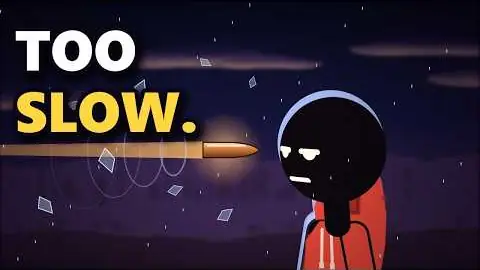
What If Your Reaction Time Was 10x Faster?
4.6M views
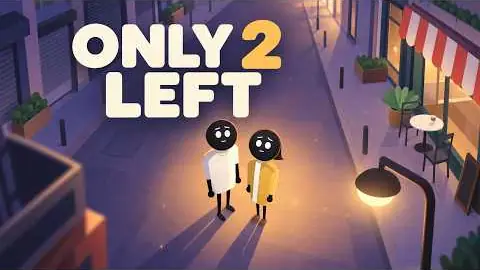
Can 2 People Really Restart Humanity?
3.9M views
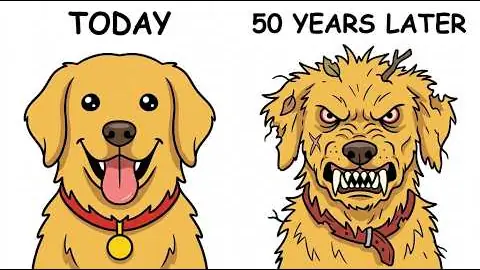
What If Every Human Disappeared Right Now?
1.1M views

What if your IQ was 10x higher ?
913K views
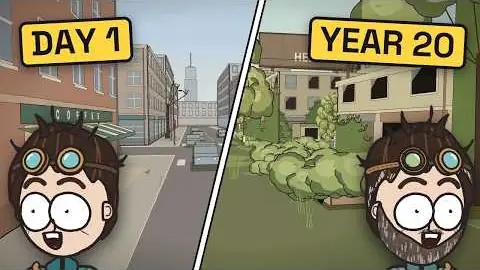
What If You Were the Last Human on Earth?
907K views
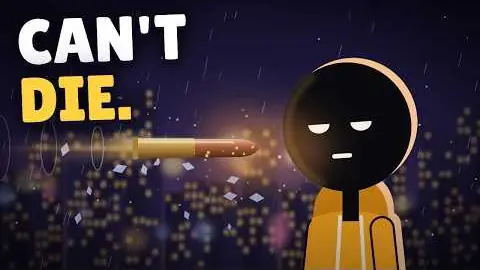
What If You Were Immortal?
901K views

What If You Could See Everyone’s Lie Count?
580K views

What If You Could Turn Invisible at Will?
575K views
Shorts
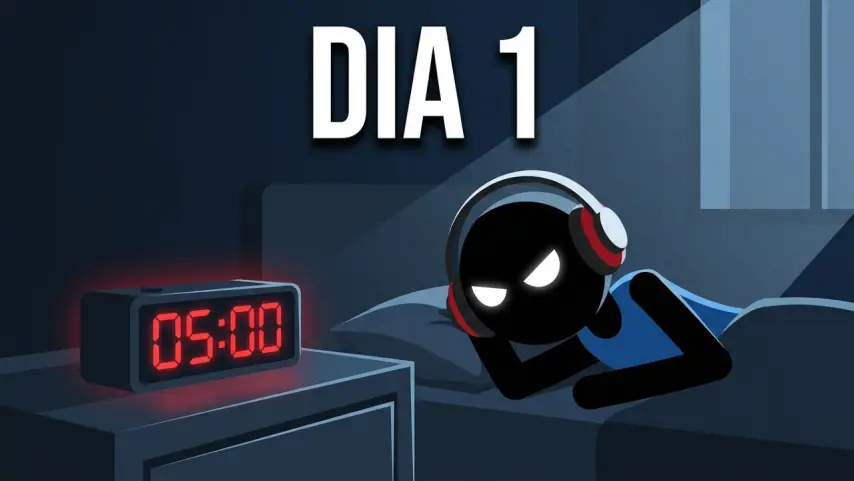
E se você fosse disciplinado?
209 views