

You Made It
86.8K subscribers55.2M views
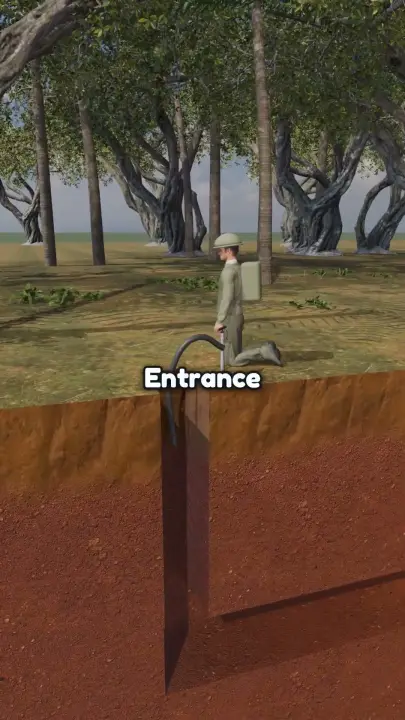
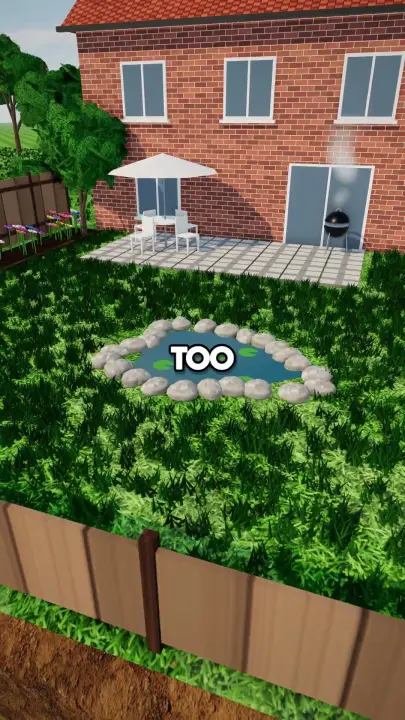
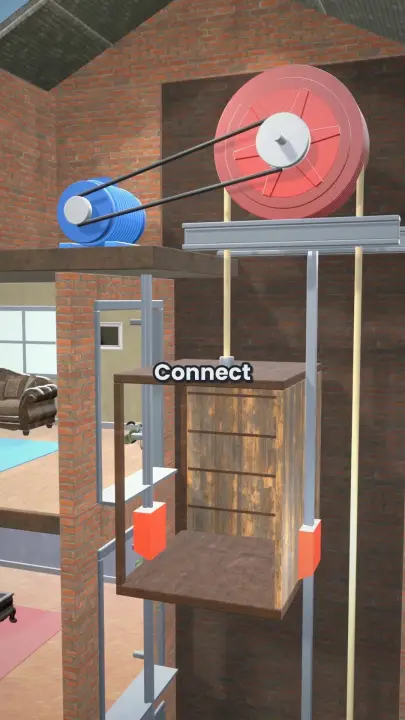
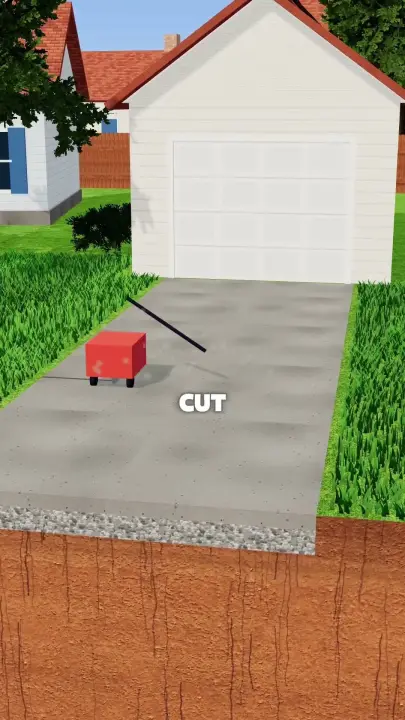
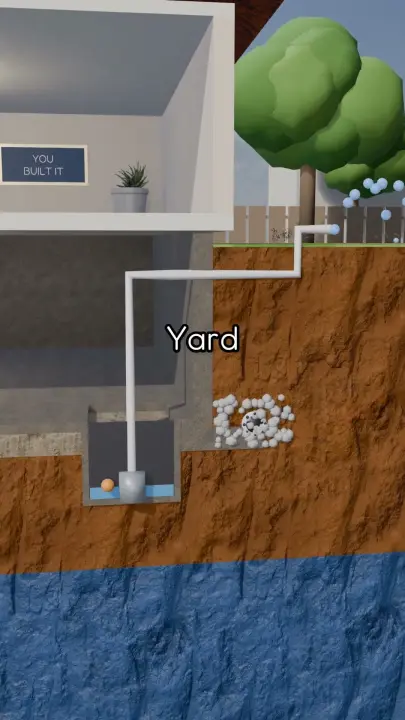
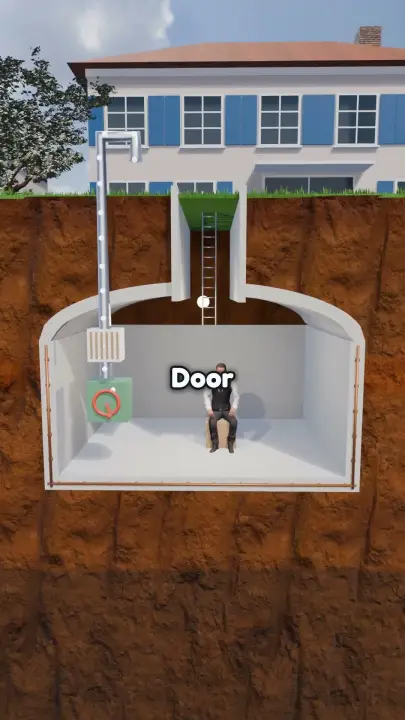
Vertical shorts around a chunky 3D diorama cut open like a cake: soil layers, pipes, a house or rig being built step by step.
The production instructions and source for this visual style.
kit/ and the skill into skills/faceless-diorama-shorts/.SKILL.md in your coding agent and follow the workflow.---
name: faceless-diorama-shorts
description: Makes vertical 3D cutaway diorama Shorts (a chunky world cut open like a cake, with soil strata, pipes and a house or rig built step by step, one word on screen at a time) from a script, with camera work, transitions, sound and thumbnail in the style of You Made It, HardWork_off, Things Opened and Mindbite.
---
## Public package setup
Export `KIT` to your extracted kit directory and `SKILL` to this extracted style directory.
Read README.md for dependencies, missing assets and setup. Example media and private review
material mentioned below are not bundled; create your own input/output paths.
# Faceless diorama shorts
One command renders a script to `final.mp4` and `thumbnail.png`, then gates it on QC. With Codex image review, the first run stops at the review ledger. The world is real geometry and every frame is rendered in code. Read `SPEC.md` for the measured style.
```
KIT=$KIT
SK=$SKILL
$SK/build.sh --script script.txt --board storyboard.json --out run/ --quality standard --qc-review run/qc/codex_review.json
```
| flag | meaning |
|---|---|
| `--script` | the narration, plain text (required) |
| `--board` | storyboard.json, what happens on which word. Without it `py/director.py` guesses from the script: always write one |
| `--topic` | title, used when there is no board |
| `--out` | run folder. Stages with outputs already there are reused (`words.json`, `vo.mp3`, `bed.wav`) |
| `--quality` | `draft`, `standard` (default), `max` |
| `--caption` | `outline` (default), `caps`, `pill` |
| `--voice` | MiniMax voice id, default `English_CaptivatingStoryteller` |
| `--words`, `--vo` | reuse an existing take |
| `--stage plan` | stop after timeline.json; `--stage render` stops before music/mix; `--stage mix` redoes audio and QC only |
| `--no-vision` | code checks only, for dry runs |
| `--qc-review` | Codex image-review ledger; uses the skill-local QC adapter and never calls Claude CLI. A missing or stale ledger cannot pass visual QC |
Outputs in `--out`: `final.mp4`, `thumbnail.png`, `timeline.json`, `cues.json`, `plan.md` (shot list), `credits.txt` (goes in the video description), `qc/report.md`.
## Workflow
1. Write `script.txt` by the script rules below.
2. Voice it: `$KIT/.venv/bin/python $KIT/py/voice.py script.txt run/vo.mp3 --voice English_CaptivatingStoryteller --speed 1.2 --emotion auto`, then `scribe.py run/vo.mp3 run/words.json`. build.sh does this itself and retimes once toward 222 wpm.
3. Write `storyboard.json` against the real Scribe `words.json`. Every action hangs on the word that says it. When replacing provisional timings, regenerate word-derived pose keys and explicit camera times too, then re-plan and re-render if any beat or caption changed. Test 2's `make_board.py` defaults to this authoritative file.
4. `build.sh ... --stage plan`, read the errors and `plan.md`. A plan that breaks a readability rule fails like a pipe through solid earth (see Readability rules). Fix the board until it passes.
5. Render 6 stills across the opening, reveal, installation, liquid detail and ending. `tools/proof_stills.py timeline.json moments.json output-directory` renders six paired moments from local reference video paths, retries transient local page-load failures and writes `contact.jpg`. Put each next to a matching local reference frame in one contact sheet; open it with the image viewer, fix and repeat. Use `videos/<key>/hook.mp4` already on disk; never fetch YouTube. Example still (`node $KIT/js/render.mjs --root $SK --page scene.html --data run/timeline.json --w 1080 --h 1920 --ss 2 --still 12.5 --out s.png`).
6. Render and mix, then run the QC loop below until exit 0. Inspect the 9–11 s liquid sequence at 30 fps, the vsref sheet, and 12 full-size final frames against their narration. A disputed finding stays open until you inspect it and fix any real defect.
## Script rules
- **Title:** "How a [humble thing] Becomes a [impressive thing]". "How a Pile of Sand Becomes a Driveway", "How a Box Becomes an Elevator".
- **POV:** second person, present tense. "You", never "we" or "they".
- **Hook, first sentence:** the naive version. "If you [do the simple thing], you have a [thing]." 6 to 14 words.
- **Body:** a chain, each fix causing the next problem. "But [what goes wrong]. So you [fix]. This is a [term]."
- **Length:** 60 to 80 s, 170 to 230 words, about 222 words per minute. Short plain words, no commas you can avoid.
- An explicit shorter duration overrides the default length above. A 20 s test still keeps the naive hook, causal chain, three terms and a finished-system hold.
- **Terms:** 3 to 5 sentences of exactly the form "This is a [term]." The planner labels them.
- **Numbers:** spoken with a unit ("four inches thick", "300 feet"). Digits plus unit become a yellow callout automatically.
- **Ending:** the finished system working, then stop. No outro, no call to action.
- Tone: deadpan instructional or calm documentary. No jokes that need a pause.
- Every noun must be drawable. If the storyboard cannot show it on its word, change the word.
## Storyboard
```json
{ "title": "How a Hole Becomes a Heat Pump", "preset": "suburb", "strata": "default", "caption": "outline", "seed": 5, "tail": 0.9,
"cast": { "you": "a ripped guy in a red tank top", "crew": "a construction worker in a hi-vis vest and yellow hard hat" },
"music": "optional prompt, otherwise chosen from the preset",
"beats": [ { "say": "If you drill a hole in your lawn, you have a well.", "do": [ ... ], "shot": { ... } } ] }
```
- `preset`: `suburb`, `jungle`, `farm`, `forest`, `city`, or `"sea": {"floor": -14}` (water from y 0 down to the seabed; voids are land-only).
- `strata`: `default`, `clay`, `sandy`, `rocky`, `tropical`, `seabed`, or your own list of `{top, tex, tint, gain, scale, warp, stones, wet, seam, normal}`. Textures: `dirt mulch clay laterite sand gravel rock darkrock`.
- `beats[].say` is matched against words.json. Keep it word for word.
- `kind` is inferred from the first words: `hook`, `problem` ("But"), `term` ("This is"), `solution` ("So", "You"), `result` ("Now"). Set it to override.
- `tail`: seconds after the last word. The last frame needs its 2 s hold too: raise it if the ending pull-out does not fit.
- **Lay the world out so one frame can hold it.** A portrait frame is narrow: a run from house to tank must fit 12 to 20 m along the cut. Bring parts together rather than space them out; the house can be narrower than you think (`w: 6`).
- Bring a service out through a wall and down, not through the floor: a trench under a slab leaves the house hanging over a hole.
- Actions may start before their word when the story needs it: a tank seen in the air on "concrete" lands in the pause after "tank". Use `t` for those.
**World frame:** x runs along the cut, y up with the ground at 0, z toward the viewer. The cut plane is z = 0. Everything solid lies at z < 0. Metres, compressed: the bottom of the default strata is about y = -9, so a 100 m borehole is 8 m deep here.
### Ops
Each op has `on` (a word of the beat; actions land on it), or `t` (seconds), and usually `dur`.
| op | fields | what it does |
|---|---|---|
| `add` | `add` kind, `id`, `x`, `z`, `y`, `enter`, size fields, `already`: true | places a part. `drop` lands on the word with a thud and dust; `lower` comes down on crane slings, use it for anything heavy that would otherwise hang in the air |
| `remove` | `remove` id, `exit`: `lift sink slide shrink` | takes a part away |
| `move` | `move` id, `x y z rz ry` | tilts or shifts a part (a settling slab: `rz`) |
| `drive` | `drive` id, `to` [x, z] | drives a vehicle, wheels roll without slipping |
| `dig` | `dig` id, `shape`: `pit trench shaft cross tunnel stepped`, `x`, `w`, `depth`, `zd` (how far back), `along`: `right` or `left` (a long cut advances along its length), `by` (excavator id), `char` (who digs: they walk to the lip and work in strokes, the floor drops one step per stroke), `lip`: `left` or `right` (which side they stand on), `stand` (their z), `spoil_at` [x, z] (the heap), `poly` | cuts a real void. `trench` runs along x, `cross` runs back in z. Takes at least 0.33 s x the square root of its area. A pit of 4 m2 or more names who digs it |
| `drill` | `drill` id, `x`, `depth`, `r`, `rig` | a round borehole; the rig moves to it, the bit tip follows the bottom |
| `fill` / `pour` | `fill` void id, `mat`, `h` or `to`, `over` (start level, on top of a part), `setback`, `tint`, `liquid` (a dark colour: wet surface band and murk are added, for water or sewage), `by` (the truck or mixer it comes from), `between` [x0, x1] (only the gap beside a part standing in the void), `offstage`: true (cleaning up where the camera has already left) | fills a void from the current level up: layers stack by themselves. A stream is drawn only when `by` names its source. To bury a liquid, fill from the floor up: it stays visible behind a `setback` |
| `lay` | `lay` id, `mat`, `x0 x1 z0 z1 y h` | a layer on the surface (driveway, pad) |
| `loop` | `loop` id, `in` bore id | a U-tube down a borehole: one pipe, down, round the bend, up. Never a ring |
| `pipe` | `pipe` id, `from`, `to`, `via`, `level` or `points`, `color`, `r`, `mat`: `pex pvc copper steel cable rope`, `open`: `"end"` or `"start"`, `spill`: `{to, until, reach, color, w, size, n}` | a routed run. Takes at least 0.7 s to extrude; start and tip stay in frame. Ends and `points` are `[x,y,z]` or ports: `hp.a`..`hp.d`, `bore.u1`, `bore.u2`, `id.top`, `id.left`, `id.right`, `id.base`, `tank.in`, `tank.out` (septic: through the wall into the chamber). Both ends must touch something, or the plan fails. An `open` end must spill: `spill` pours from it down to level `to`, otherwise it reads as a dead end and the plan fails |
| `flow` | `flow` id or list, `until`, `rev` | moving bands in a pipe: warmth, water |
| `dump` | `dump` truck id | tips the bed |
| `stream` | `stream` [x,y,z] from, `to` [x,y,z], `until`, `color`, `w` | liquid or grain flowing, like a pipe spilling |
| `char` | `char` id, `do`, `for`, `to`, `face` (turn to this heading) | a character action (see below) |
| `fx` | `fx`: `dust sparks splash steam smoke mud blast stink`, `at` id or [x,y,z], `scale`. `stink`: `span` [x0, x1], `z`, `until`, `n`, `h` | a particle event. `stink` is thin wavy wisps rising along a span of ground, never a coloured cloud |
| `crack` | `at`, `L`, `wall` | a crack that runs across a slab or wall |
| `rain` / `snow` | `until` | weather |
| `label` | `label` text, `at` id | a term pill anchored to a part. "This is a X." is labelled automatically |
| `callout` | `callout` text | yellow value callout. "4 inches" is automatic |
| `arrow` | `arrow`: `up down left right`, `at`, `color`, `for` | chunky force or flow arrows |
**Parts:** `house` (`w d floors fh cut garage wall roofColor shutters furn`), `wall` (`w h t kind`: brick, block, concrete; rises course by course), `frame`, `rebar`, `scaffold`, `fence`, `column`, `beam`, `footing`, `excavator`, `drillrig`, `dumptruck`, `mixer`, `car`, `compactor`, `crane`, `heatpump`, `outdoorunit`, `tank`, `septic` (pose keys `foul clear sludge settle`: `settle` rains the solids down through the liquid and thins what is left; a level moves at most 1.3 per second), `toilet`, `pump`, `spring`, `rampump`, `watertower`, `radiator`, `manifold`, `manhole`, `solarpanel`, `pallet`, `cone`, `reel`, `tree` (`species`: `tree_a`..`tree_e`, `fir_a`), `rock`, `box`, `heap`, `jacket`, `boat`, `character`.
`house` with `cut: true` stands at z = 0 with its front removed and real furniture inside. Things inside it stand at `y: 0.32`, come in through the open front, and push the furniture to the other side.
### Characters
`cast` takes plain English; `py/chars.py` turns it into a consistent spec. "a ripped guy in a red tank top", "a woman engineer in a blue hoodie and white hard hat", "an old heavy man in a green flannel shirt and brown pants", "a construction worker in a hi-vis vest and yellow hard hat". Understood: body words (ripped, slim, old, heavy, woman), colours, tops (tank top, t-shirt, long sleeve, hoodie, jacket, coverall, shirtless), bottoms (jeans, shorts, cargo, pants), headwear (hard hat, cap, beanie), hair (colour, bald, buzz), beard, skin tone, hi-vis, sunglasses. Spec fields can also be set by hand.
```json
{ "add": "character", "id": "you", "x": 1.4, "z": -0.9, "ry": -1.4, "do": "dig", "for": 3, "on": "dig" },
{ "char": "you", "do": "walk", "to": [5, -1], "for": 2.2, "on": "walk" }
```
`do`: `idle walk dig hammer point thumbsup cheer shock recoil crouch inspect carry push wave stagger tired`. `recoil` is a hand over the nose and the other fanning: for a smell. Walk keeps the feet planted. Dig holds a shovel in both hands. Faces follow the action (`dig` strains, `shock` gapes, `cheer` grins); set `"expr"` on a `char` op to override: `neutral smile grin shock frown strain tired`. Render `characters.png` with the gallery page when you change the generator.
### Passive hydraulic parts
`spring` is an elevated stone spring box with a continuing surface stream and a water interface, with its outlet at local `[1.62,1.59,-0.2]`. `rampump` has an open front, a red upward-seating waste poppet, a gold delivery check flap and a domed air chamber. Its inlet is `[-1.5,.49,0]`, outlet `[1.66,.65,0]`. Animate `pose.enabled` from 0 to 1 on the first closure. `start` is the cycle origin; closure starts 0.72 s after it. The renderer passes actual frame time as the second `drive` argument, so periodic motion never inherits eased keyframe time. `pose.pressure` may raise a smooth pressure demonstration on a spoken word. Valve travel is continuous, and a closure stops new waste emissions while existing drops finish their flight. Pressure changes the water highlight; do not add a floating solid ring. `watertower` includes braced legs and an open-front tank; `deck` defaults to 6.4 m, its inlet is local `[-1.15,deck+1.35,0]`, and `pose.level` drives the visible water level. Round vessels use round liquid volumes with one wet top.
A `label` may name `point: [x,y,z]` to identify a subpart. The planner checks this point against its target bounds. Asymmetric parts can supply `label_at` in the part catalogue so their default leader touches real geometry rather than the empty top-centre of a bounding box. The layout solver can place a long leader above or beside a detail; a valve term must point at the valve rather than the top of the whole machine.
## Readability rules (the planner fails the plan when one breaks)
The owner's verdict on the first test: too hectic, too zoomed in. These rules are measured on the reference hooks (`SPEC.md`) and live in `py/rules.py`, with the numbers in `PACE` in `py/shots.py`. Do not loosen them to pass a plan: change the board.
| rule | limit |
|---|---|
| camera moves and cuts | at most 2.7 per 10 s, at least one move in anything over 8 s |
| hold on a framing | at least 2 s settled before the next move, the last frame too |
| length of a move | at least 1.3 s, one long soft ease |
| speed of a move | picture 0.9 frame widths/s, turn 14 deg/s, travel 0.32 viewing distances/s, zoom 0.55 /s at the peak |
| a new place | opens wide, at least 10 m of the cut, before detail; the opening may start medium/close if the next setup reveals that same place |
| a detail (`medium`, `close`, `ecu`) | of something already shown, with at least 1.35x actual view-width contrast against its adjacent wide |
| shot scale | neither wide nor detail framing continues beyond 10 s; a video over 8 s needs at least 1.35x actual view-width range. Renaming shots does not count |
| between two places | a `follow` along a line that joins them (`line`: a pipe or trench), or a `cut` on a word onset. A `ramp` needs 30% of the frame in common. `whip` only on a "Meanwhile" beat |
| a dig, pour or landing | in frame from start to finish, with at least 8 m of cut in shot and 1.6 times its own width. Lowered parts include the pit, the slings and the pipes they meet. A pipe's start and tip stay in frame |
| a wide | holds everything it was asked to hold |
| a lowered part | fits its pit with 0.15 m to spare on each side and behind, and the pit is finished before the part reaches the ground |
Visible arrows, including their staggered span and 0.5 s exit, must stay within the frame. Put a flow arrow upstream before a tank push-in. The final caption clears 0.6 s after its word ends so the result reveal stays unobstructed.
Labels stay on their part through slow moves and leave before a hard cut. A buried part carries its label underneath, and a label that cannot stay clear of the word leaves early. A wide slides a little so no person stands under the caption, as long as its subject stays in frame. The planner also checks every caption against people through the camera moves; clear endpoints alone do not suffice. Things other than people you keep clear yourself, with `ground`.
## Cinematography
- **Write shots for the whole video or for none.** A beat with no `shot` stays on the running frame. With no shots at all the planner covers it: one wide per place, a push-in on a term and a pull-out at the end when the rules leave room. If automatic coverage cannot fit both detail and context while retaining the pace, the scale gate fails: write the shots by hand.
- Frame the subject the words name. A useful sequence is a medium on the worker and ditch, a pull to the house and yard, a push into the tank or sludge, then a pull to the whole working system. Hold long enough to read each change. In a dense hook, combine adjacent clauses in one frame rather than adding a move per noun. A large final reveal may need a longer `tail` to preserve the speed caps and final 2 s hold.
- Mix scales deliberately: whole-system wides are context, not the default for every sentence. Aim for a person at 25–35% of frame height in an isolated medium, or a named part at 45–75% of frame width in a detail. A worker may be smaller when the ditch and pipe must also stay visible. Close shots retain the inlet, outlet or ground line that explains the part. `ground` works on medium and close shots too; `under: true` puts a buried subject below the caption.
- Before planning, sample local reference hooks at 3 fps and measure subject boxes (width/height as a share of frame) and image motion. `tools/measure_reference.py examples/test/r5_refs` measures tiled image flow without the caption band. See the Round 5 measurements in `SPEC.md`; its coarse 3 fps flow estimate undercounts fast moves, so keep Round 4’s conservative speed caps. Never infer scale from the shot label alone.
- The camera stays on one side of the set: only a hard cut crosses over, a move never swings around.
- `ground` (a share of the frame height, default 0.55) places the cutline. Put it below whatever sits at the caption's height: 0.64 lifts a room above the floor line clear of the word, 0.56 keeps a buried tank under it. The caption is at 53%.
- Shot fields: `size` `wide|medium|close|ecu|ug`, `angle` `cut|high|low|top|dutch`, `on` an id, `"all"`, a list of ids, or [x,y,z], `move`, `at_word` or `t` (when the move has **arrived**, not when it starts: it starts as long before as the speed limits need), `ground`, `min_w` (metres of cut, at least), `line` (what a `follow` travels along). The first shot starts at 0.
### Transitions
| move | use |
|---|---|
| `ramp` | a reposition inside one place, 1.3 s or longer, as long as the speed limits need |
| `follow` | along a pipe, rope, shaft: the line connects old and new frame. The way to reach a new place |
| `push`, `pull` | same subject, new size |
| hold + state change | the camera stays while the thing changes |
| `cut` | hard cut on a word onset: a far place or a shock |
| `through` | the camera flies through the soil, dark soil fills the frame, a hidden jump: surface to deep |
| `whip` | lateral whip, only on a "Meanwhile" beat |
| `dissolve` | 0.5 s melt, only for a time jump ("ten winters later") |
## Sound rules
The owner's first complaint was sound effects far too loud, so the planner writes `cues.json` under hard rules (`py/rules.py`) and fails the plan if one breaks:
- About one cue per real on-screen event: a landing, a pipe laid, a pour, a label, a cut. At most 6 per 10 s, the most important survive (`pri`).
- Nothing stacks: 0.45 s between any two cues, 1.2 s between two of the same sound. `static` and `shimmer` are never used. Slow camera moves are silent; only `cut`, `through`, `whip` and `dissolve` get a sound.
- No cue above -20 dB in `cues.json`. The legacy mixer takes a further 4 dB off; the measured style profile owns final levels when available.
- Every cue also sits 12 dB under this take's loud words: the planner measures `vo.mp3` and the sound file and lowers the cue until its loudest 100 ms is there. -20 dB alone means nothing next to a quiet voice. It needs `vo.mp3` beside `words.json` or in `--out`; without one this last step is skipped.
The bed comes from `music_prompt.txt`. The measured `diorama-shorts` profile owns voice/background ratios and speech ducking; the legacy fallback uses -18 dB. The master aims at -14 LUFS. Nothing but the bed in the last 0.4 s.
## Quality levels
| level | render | look | QC |
|---|---|---|---|
| draft | `--ss 1` | shadow 1024, no AO, bloom or SMAA, 2 shutter samples | code checks + vision on the final |
| standard | `--ss 1` | shadow 2048, GTAO, bloom, SMAA, restrained tilt-shift, 4 shutter samples | + vision on two preview slices first |
| max | `--ss 2` | shadow 4096, 8 shutter samples, most grass | + second pass on flagged spans |
Shutter blur is real temporal integration inside `window.__frame`: a centred 180° exposure, midpoint samples, all camera/character/object/grass states evaluated per sample, with no previous-frame history. Samples never cross a hard cut. Dissolves integrate both views at each sample; GTAO denoising noise is explicitly seeded so fresh page loads match too. `src/post.js` resets its accumulation canvas every frame. The DOM UI is drawn once at the centre time, above the accumulated 3D canvas; captions, labels and arrows stay sharp. Do not restore camera-only sampling thresholds or screen-space directional smears. `tools/check_render.mjs` checks out-of-order seek determinism and makes fast/slow/object/static comparisons.
Soil uses world-mapped albedo, normal and roughness arrays; concrete retains its normal and roughness maps. HDRI, sun contact shadows and GTAO give grounding. Water has one horizontal physical interface with object-space ripples, IOR 1.333, slight transparency and restrained highlights. Settling changes one liquid material; never overlay coplanar liquid boxes. Grass feathers in height over overlapping fields into the same world-mapped lawn material all the way to the fogged horizon.
Current render timings are in `examples/test/NOTES.md`, measured at each quality. Include resolution, supersampling, sample count and whether timing includes setup/queueing when reporting speed.
## QC loop
`qc.py` runs last. In Codex, when Claude CLI is prohibited, use the skill-local adapter with the same kit gate and an explicit image-review ledger:
```bash
$PY tools/qc_codex.py examples/test/final.mp4 --out examples/test/qc --qc examples/test/silent.qc.jsonl --timeline examples/test/timeline.json --words examples/test/words.json --style "3D cutaway diorama short" --review examples/test/qc/codex_review.json
```
The first run creates normal 3 fps sheets and exits 2 pending review. Open every sheet and any flagged/dense spans. Only then write the ledger described in the adapter; it is bound to the MP4 SHA256 and lists every reviewed sheet and remaining findings. Re-run after fixing and rendering real defects. A code-only pass is not a visual pass. `build.sh --qc-review run/qc/codex_review.json` uses this adapter too; review the six proof stills yourself before its full render. Do not auto-accept disputed findings or carry a ledger to another render.
`Codex visual review required` entries mean those sheets have not been inspected; they are open findings, not evidence of a scene defect. Complete the image review and record its actual results. Never remove the pending-review gate or mark missing sheets reviewed to make a report pass. The unmodified kit's native vision path invokes Claude CLI, so use this adapter when that CLI is prohibited.
When QC exits 2:
1. Read `qc/report.md` and `qc/flagged.jpg`. Look at the frames yourself.
2. Fix the cause in the storyboard, then in the planner or renderer. Never patch a frame.
3. Re-render the affected slice: `node $KIT/js/render.mjs --root $SK --page scene.html --data run/timeline.json --w 1080 --h 1920 --from 22 --to 28 --out slice.mp4`, splice it into `silent.mp4`, then `build.sh ... --stage mix`.
4. Run again. `run/ignore.json` is for things that are really intended, with a reason. Keep it short.
## What the planner refuses
The logic gate fails the plan rather than letting a viewer see it: a part inside solid earth, two big parts intersecting, a pipe that dead-ends in nothing, an unknown part. A buried pipe with no trench gets one cut just before it is laid. Nothing enters a hole while the drill is in it. Vehicles arrive from the side with nothing in the way. Beyond that, everything under Readability rules and Sound rules, a dig too fast to read, a pit with nobody digging it, a level that jumps, and an open pipe end that spills nothing.
## Assets and credits
Models come from `kit/assets` through `kit/py/assets.py`; `py/fetch_assets.sh` fetches anything missing. Three CC-BY people must be credited in the video description: `credits.txt` in the run folder holds the lines. Full list in `CREDITS.md`, generated assets in `ASSETS.md`.
Source only. Fetch assets separately; setup and credits are in the README. All 11 skills ↗
86.8K subscribers55.2M views

23.9K subscribers31M views

15.4K subscribers13.7M views

10.1K subscribers6.5M views

4.6K subscribers4.3M views
21.1M views
2.5M views
2.1M views
464K views
392K views

20.4M views
8.6M views

5.9M views

2.6M views
1.7M views