

Jam In A Bottle
3.2K subscribers4.8M views
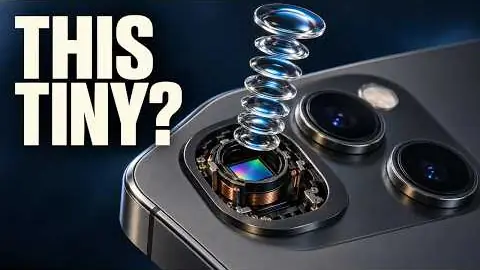
Darker, glossier 3D: chips, ships, aircraft, animals and reconstructions of real incidents, often cut with stock footage, HUD callouts and stat cards.
The production instructions and source for this visual style.
kit/ and the skill into skills/faceless-cg-docs/.SKILL.md in your coding agent and follow the workflow.---
name: faceless-cg-docs
description: Build a faceless glossy dark CG documentary (real PBR models, continuous camera moves, HUD callouts, stat cards, narrated) from a script to final.mp4 and thumbnail.png.
---
## Public package setup
Export `KIT` to your extracted kit directory and `SKILL` to this extracted style directory.
Read README.md for dependencies, missing assets and setup. Example media and private review
material mentioned below are not bundled; create your own input/output paths.
# faceless-cg-docs
Glossy dark 3D documentaries about ships, submarines, aircraft, rockets, chips, animals and reconstructed incidents, in the language of
Future War Tech Arsenal, Jam In A Bottle, Silicon Up Close and Where They Stood. `SPEC.md` holds the measured reference data; read it before
changing anything visual. The kit is `$KIT` (use it, do not modify it).
## Workflow
```
cd $SKILL
KIT=$KIT; PY=$KIT/.venv/bin/python
./build.sh --script script.txt --title "Why Nobody Can Find This Ship" [--direction direction.json] [--quality standard] [--slug my-video]
```
That one command runs, in `runs/<slug>/`: voice, word timings, direction, planner, archive stills, music, render, mix, thumbnail, credits, measure, QC.
Finished work: `final.mp4`, `thumbnail.png`, `description_credits.txt`, `qc/report.md`. Steps whose output exists are skipped, so re-runs never re-bill
(`vo.mp3`, `words.json`, `direction.json`, `bed.wav`). Delete a file to redo that step.
Options: `--run examples/x` (project folder instead of `runs/<slug>`) · `--direction f.json` your beat sheet (best results) · `--hero la_sub` · `--topic "..."` · `--thumb "NOBODY|CAN FIND IT"` · `--voice English_Trustworth_Man` (calm, fast enough for 157 wpm; `English_Deep-VoicedGentleman` for darker films) · `--speed 1.0` ·
`--no-llm` (rule-based direction) · `--plan-only` (stop after timeline.json) · `--no-vision` · `--seed 7` (a different seed is a different cut of the same plan).
### The recommended loop
1. Write `script.txt` (rules below). 2. Pick the hero (`models/library.json`; add one if needed, see Assets).
3. Write `direction.json` by hand, or let `build.sh` write it (`planner/direct.py`, claude-opus-5-5), then read it. **Check every beat: does the picture show what the words say?**
4. `./build.sh ... --plan-only` and read the printed report (shots per 10 s, size mix, transitions).
5. Stills first, at every kind of shot:
`node tools/stills.mjs runs/<slug>/timeline.json /tmp/s 3.2,9.4,21,44 --cols 2` then Read `/tmp/s_sheet.jpg`. Hero-size renders: `node $KIT/js/render.mjs --root . --page renderer/scene.html --data runs/<slug>/timeline.json --still 12.5 --ss 2 --out /tmp/f.png`.
6. Slice in motion: `node $KIT/js/render.mjs --root . --page renderer/scene.html --data runs/<slug>/timeline.json --out /tmp/slice.mp4 --from 0 --to 20`.
7. Full `./build.sh`. Work through the QC loop.
## Script rules
- **Length and pace:** 150 to 175 wpm, target 157. MiniMax runs close to that at `--speed 1.0`. Long form is 8 to 20 minutes in the references; tests can be 1 to 3.
- **POV:** third person, calm documentary, present or tight past. Direct "you" sparingly (Silicon's opener, FWT's "You might be asking").
- **Title formula** (pick one): `The Most Dangerous [THING] Is the One Nobody Can [VERB]` · `What Happens Inside [THING] When You [ORDINARY ACT]` · `How [ACTOR] Will [IMPOSSIBLE VERB] a [THING]` · `Why Can't You [VERB] [PLACE]?` · `The [EVENT] That [SURPRISE]: What Happened at [PLACE] (Rebuilt in 3D)`.
- **Hook, first 30 to 45 s:** open on one of: date-time-place cold open (`On September 28th at 7:48 in the morning...`), paradox statement (`The most dangerous ship in the American fleet is the one nobody can find.`), a question to the viewer, or a precise place fact (`750 miles south of Tokyo`). Then 2 or 3 hard numbers. Then a turn (`But getting to orbit was never the hard part.`). End the hook on a stack of 2 or 3 open questions.
- **Body:** one claim per sentence, 8 to 18 words. Every number is a picture. Name the part, the place, the year: the renderer needs nouns it can show. Say what things do, then what that means.
- Numbers as words or digits both work. Pauses: `<#0.5#>` in the script.
- Facts must be true. The on-screen text repeats the narration, it never adds claims.
## direction.json
Each beat runs from its `says` words until the next beat starts. `says` must be copied exactly from the script, in order.
```json
{ "title": "...", "hero": "la_sub", "setting": "ocean", "thumb": "NOBODY|CAN FIND IT", "music": "...", "status": {"k": "PATROL", "v": "DAY 01"},
"look": {"globe": "tactical", "sea": {"sunAz": 200}, "ground": {"time": "night"}},
"beats": [ {"says": "Somewhere under the Pacific", "do": "hero", "shots": ["wide", "close"], "part": "sail", "bar": ["GOLD WORDS", "WHITE WORDS"]} ] }
```
| `do` | shows | keys |
|---|---|---|
| `hero` | a 3D model | `hero`, `set`, `shots` (wide, medium, close, xcu), `part`, `angle`, `callouts: [{label, sub, part, at, style: callout or tag, target}]`, `n`, `in` |
| `stats` | object on the black stage, cards left | `stats: [{label, value, bar: 0.7, at, quote: [..]}]`, `holo: true` (PBR to hologram match) |
| `globe` | Earth | `focus: [lon, lat]`, `pins: [[lon, lat, "LABEL"]]`, `arcs: [[[lon, lat], [lon, lat]]]`, `ring: 40`, `dist`, `marks: [[lon, lat]]` (gold question marks, FWT) |
| `map` | flat map | `center`, `span` (degrees across), `routes`, `labels: [["TOKYO", lon, lat]]`, `highlight: ["Japan"]` |
| `chip` | silicon die macro | `stars: true` lights the switches |
| `tunnel` | copper fly-through | `speed` |
| `archive` | period still, Ken Burns, grain | `image: "assets/x.png"`, `image_prompt`, `images`, `framed: true`, `grade` |
| `card` | LED title wall | `text: "ONE\nTWO"` |
Text on any beat, at most one or two per beat: `bar` · `lower: [title, sub]` · `typed: [line1, line2]` · `serif` · `name: [title, sub]` · `number: {to, unit, at}` or `{text}` · `question: [line, line]` · `chapter`.
`text_at: "word"` starts the text on that word. `bar_hold: true` keeps it for the whole beat. `bar_slot: "bottom"` moves it.
Worlds: `ocean` (submarines, sharks, whales) · `sea` (ships) · `sky` (aircraft in flight) · `ground` (parked aircraft, vehicles, incidents) · `orbit` (rockets, spacecraft) · `void` (any model).
`"harbor": true` on a `sea` beat puts a lit container port ahead of the ship: shoot it with `angle: lowrear` or `rear3q` (the camera must look toward +X) and enter with `"in": "defocus"`. `"blackout": "word"` on a `sea` beat of a ship with `lights` in the library: working lights on, then they stutter and die on that word and the ship drops to a dark mass (`"lights": true` alone keeps them on). A model only appears in its `sets`. `look.sea.sunAz` turns the sun; ships read best silhouetted (camera facing the sun) or rim-lit.
## Cinematography rules (full numbers in SPEC.md 2)
3 to 4 shots per 10 s, median 3.1 s, irregular. Mix: 32% wide, 30% medium, 26% close, 12% extreme close-up. Every new place opens wide. Sizes walk in or reveal out. The camera never rests and never stops at a boundary. One side of the subject per scene. Lens tightens as the shot tightens; DOF on everything closer than medium.
## Transition rules (SPEC.md 3, the owner's first concern)
**Never a hard cut between scenes.** Same place: `fly` (the camera flies to the next framing, no cut). Large orbit or wide-to-XCU: `dissolve`. Scene change: `whip` (energy), `push` (going in), `defocus` (calm), `dip` (act break), `scan` (into data), `match` (same camera, new material). Force one with `"in": "whip"` on a beat. `"in": "cut"` exists for a hit inside one scene; use it almost never.
`kit/py/measure.py` counts only hard cuts, so it will report about 1 cut per minute on these films. That is correct. Judge rhythm from the planner's "shots per 10 s".
## Sound rules
Continuous bed (`music_prompt.txt`, `--music-db -17`). `cues.json` comes from the planner: whooshes peak 30 ms after each transition centre at -13 to -22 dB, soft moves sound every other time, HUD clicks -19 to -22, typing -22 to -25, sub hit on the first frame and title cards. Nothing closer than 120 ms at similar level. Final mix -14 LUFS.
## Quality levels
| level | render | 3D | motion samples | speed at 1080p |
|---|---|---|---|---|
| `draft` | `--ss 1` | MSAA 2x, no AO, 16 DOF taps | 1 to 4 | fastest, simpler light, for checking edits |
| `standard` | `--ss 1` | MSAA 4x, GTAO, 32 DOF taps, bloom | 1 to 8 | 6 to 11 fps, 1 minute of video in 3 to 5 minutes |
| `max` | `--ss 2` | MSAA 4x, GTAO, 48 DOF taps | 2 to 12 | slower, not timed on a full render |
Levels change cost, never correctness. All must pass QC. Parallel renders queue for the kit's 4 render slots, so a long wait at the start is the queue, not a hang.
## QC loop
`build.sh` ends with `qc.py`. A video is finished only when it exits 0.
1. Read `runs/<slug>/qc/report.md` and `qc/flagged.jpg`.
2. Fix the cause in `direction.json`, the planner or the renderer, not the symptom.
3. Re-plan with the same seed. Re-render the slice:
`node $KIT/js/render.mjs --root . --page renderer/scene.html --data runs/<slug>/timeline.json --out /tmp/fix.mp4 --from A --to B`
4. Splice into `silent.mp4` (`ffmpeg -f concat`, cut on a shot start), re-mix, or re-run `build.sh` after deleting `silent.mp4`.
5. Run `qc.py` again on the slice with `--offset A`, then on the whole film.
`ignore.json` is only for what is truly intended, with the reason. The producer audits it.
Common fixes: label dropped (`hud: no room for label` in the render log): its `part` is not in frame, so set the beat's `part` to it. Label in a bad place: move it with `at` or change `part`. Picture does not match words: split the beat. Subject too dark: change the angle or `look`. Camera too tight on a low-poly detail: use `medium`.
## Assets and credits
- `models/library.json`: vetted heroes with orientation, parts, waterline. Listed in `CREDITS.md`.
- Add a model: `$PY $KIT/py/assets.py peek sketchfab "tanker ship" --max-faces 300000`, Read the sheet, pick by eye (real PBR maps, no game rips, no brands, no real people), then `$PY tools/add_model.py <uid> tanker --kind ship --tags "tanker,oil" --sets sea,void --length 330`, run `tools/inspect.sh <uid> tanker`, set `rot` so the nose is +X and the top +Y, set `waterline` for ships, and fill `parts` in half-extents. `tools/meshes.html` lists meshes, for `flight_hide` (landing gear) on aircraft.
- Up to about 300k faces is fine. Sub-30k models get soft in `xcu`: prefer `close`. Library keys that protect them: `xcu_parts` (only these parts go to extreme close-up), `avoid_parts` (never picked automatically for close shots), `material.strip_decals` (paints out low-res white stencils), `ground_twin` (parked variant for `ground`), `material.soften: {"MatName": k}` (removes logos baked into a material's albedo), `material.holo: "front"` (hologram for busy models), `no_mirror: true` (hero left out of the water reflection).
- Generated stills are archive inserts only, tagged ILLUSTRATION on screen, logged in the run's `ASSETS.md`. No generated video. No generated faces in close-up.
- Fonts and Earth data come from npm (`node_modules/`, run `npm i` if missing).
- `description_credits.txt` goes in the video description: CC-BY requires it.
## Files
`build.sh` · `planner/plan.py` (shot grammar, transitions, overlays, cues) · `planner/direct.py` (model-written direction) · `planner/auto.py` (rule fallback) · `renderer/main.js` (timeline player, camera guard) · `renderer/pipeline.js` (HDR pipeline, transitions, grade) · `renderer/camera.js` · `renderer/hero.js` (PBR, hologram, wire modes) · `renderer/hud.js`, `hud.css` (components and layout solver) · `renderer/sets/*` (worlds) · `thumbnail/thumb.py` · `tools/` (stills, inspect, add_model, gen_stills, credits, fake_words).
Source only. Fetch assets separately; setup and credits are in the README. All 11 skills ↗
3.2K subscribers4.8M views
3.1K subscribers4.6M views

10K subscribers1.6M views

2.1K subscribers1.5M views

1.4K subscribers458K views
563 subscribers267K views
4.3M views
924K views
127K views
90.6K views
52.3K views

836 views
246K views
239K views